

















The Evolution of Mario Gaming: A Journey Through History
Since his debut as "Jumpman" in the 1981 arcade classic Donkey Kong, Mario has evolved into the most recognized face in video game history. Created by the legendary Shigeru Miyamoto, the plumber from the Mushroom Kingdom revolutionized the platformer genre. At MarioGames.be, we are dedicated to preserving this digital heritage. We host a curated collection of the best Mario titles, allowing a new generation of players to experience the magic of Nintendo's golden era directly in their web browsers, without the need for vintage hardware or cartridges.
Popular Mario Consoles Available on MarioGames.be
Nintendo Entertainment System (NES) - Where It All Began
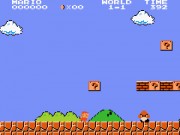
The 8-bit era defined modern gaming. Titles like Super Mario Bros. established the rules of side-scrolling platformers: precise jumping, hidden secrets, and power-ups like the Super Mushroom and Fire Flower. Don't miss Super Mario Bros. 3, widely considered one of the greatest games of all time, which introduced the world map and the Tanooki Suit.
Super Nintendo (SNES) - The 16-bit Revolution
The SNES brought vibrant colors and better audio quality. Super Mario World introduced Mario's dinosaur companion, Yoshi, adding new gameplay mechanics. This era also saw the birth of Super Mario Kart, using "Mode 7" graphics to simulate 3D racing, creating a genre that remains popular today.
Nintendo 64 (N64) - Stepping into 3D
With the N64, Mario made the leap into fully 3D worlds. Super Mario 64 set the standard for 3D movement with its use of the analog stick, allowing players to explore Peach's Castle freely. This console also hosts classic party games and sports titles like Mario Tennis and Mario Party.
Why Play Mario Games Online Here?
- HTML5 Technology: Unlike older sites that relied on the now-defunct Adobe Flash Player, our site uses modern HTML5 and JavaScript emulators. This ensures games run smoothly, safe from security vulnerabilities.
- No Downloads Required: You don't need to download risky files or configure complex emulator software. Our cloud-based solution loads the game ROM instantly in your browser.
- Cross-Device Compatibility: Whether you are on a Windows PC, a Mac, or an Android mobile device, our responsive design ensures you can play anywhere.
Tips for Playing Retro Games on Browser
Playing console games on a computer keyboard can be tricky at first. Here are some tips to enhance your experience:
- Save Your Progress: Modern browser emulators support "Save States." Look for the menu bar at the bottom or side of the game window. You can save your game at any exact moment—even mid-jump—and load it later, a feature the original consoles never had!
- Standard Controls: While you can often remap keys, the standard default controls usually map the Arrow Keys to the D-Pad, Z or X to A/B buttons, and Enter to Start.
- Fullscreen Mode: For maximum immersion, click the "Fullscreen" icon in the emulator toolbar to hide distractions and focus purely on the gameplay.
 Sonic
Sonic Pac-man
 Pokemon
 Ninja Turtles
 Star Wars
 Angry Birds